Reading mode
Visual mode

CLIENT
Caribbean Development Bank, a leading regional institution driving social and economic progress in the Caribbean through sustainable growth initiatives and impactful projects.
TEAM
Account Director
Project Manager
Creative Director
Sharepoint Developers (2)
SERVICES
User Research
UX/UI Design
User Testing
Design Documentation
STACK
Miro
Figma
Marvel Prototyping
Microsoft Fluent UI
STATUS
Delivered
Challenge
For years, CDB employees relied on an outdated and fragmented intranet. Accessing policies, forms, and internal communications was slow and inconsistent, leading to disengagement and rising support tickets.
Broken search, unclear content ownership, and clunky publishing workflows revealed deeper structural issues in how information was organized and maintained.
My Role
I led the end-to-end redesign of the intranet, collaborating with key stakeholders across departments to create a system that was easier to use, manage, and better connected to how employees worked.
Without prior SharePoint experience, I quickly assessed its technical constraints and native capabilities to design within the platform rather than against it.
Highlights:
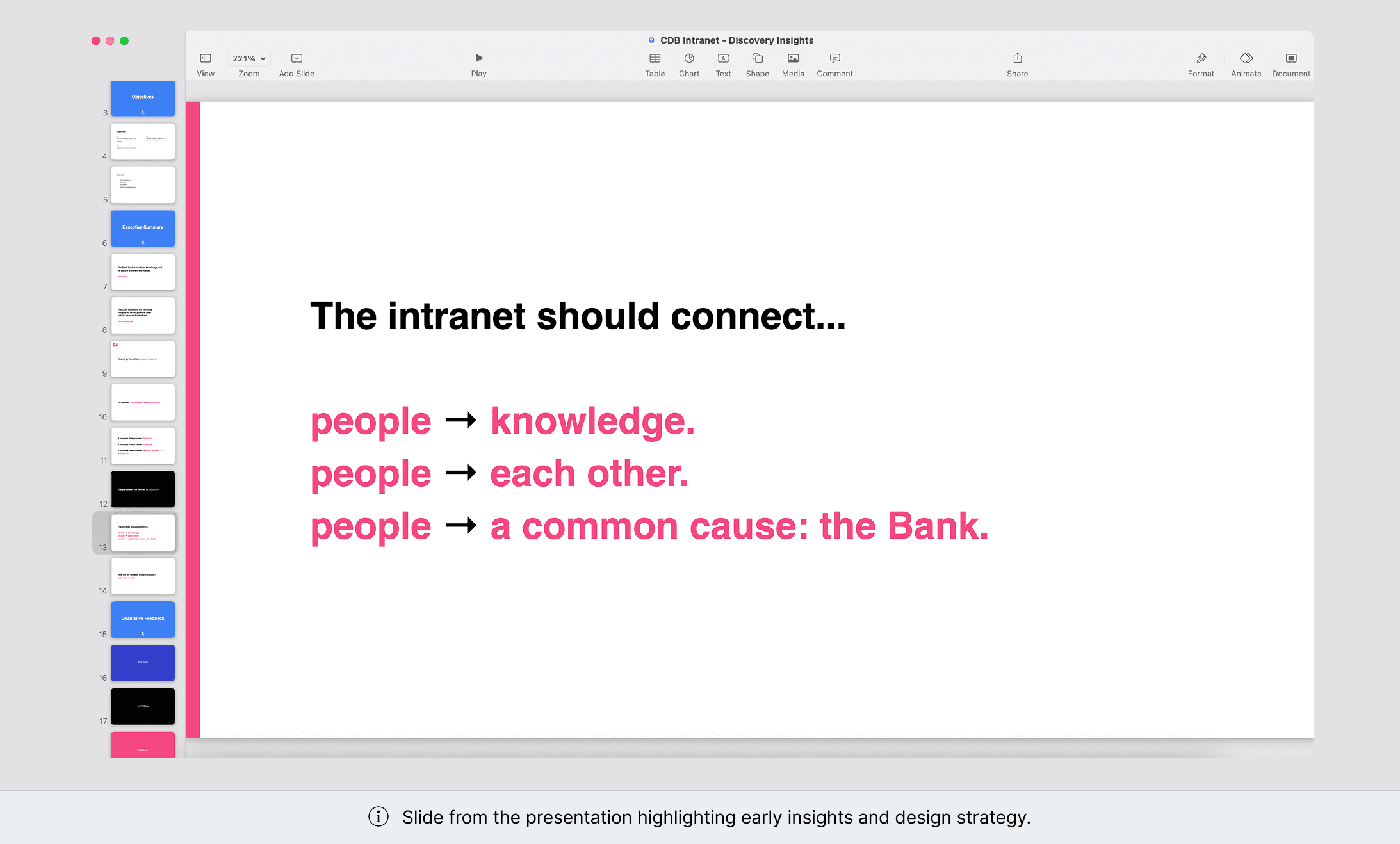
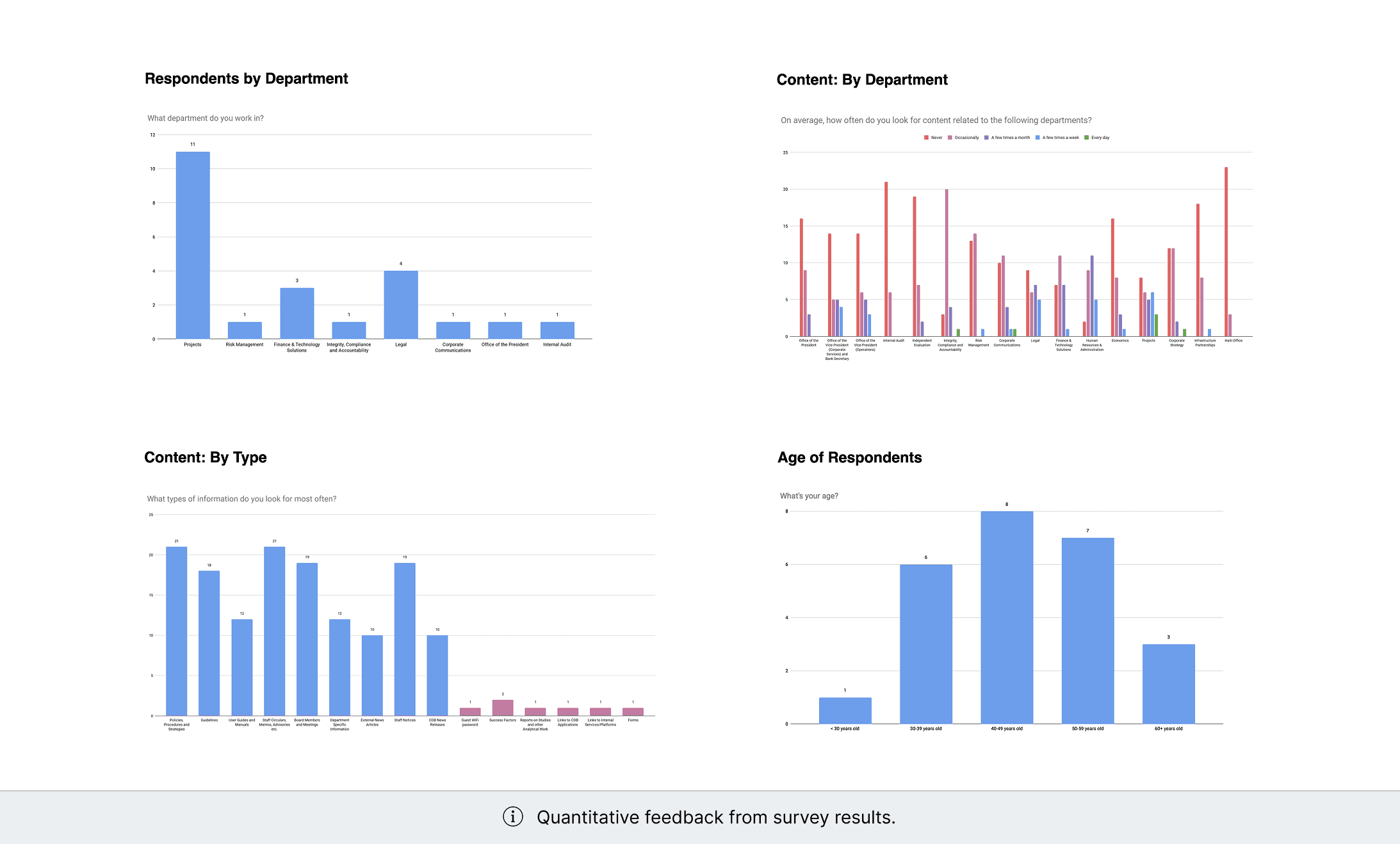
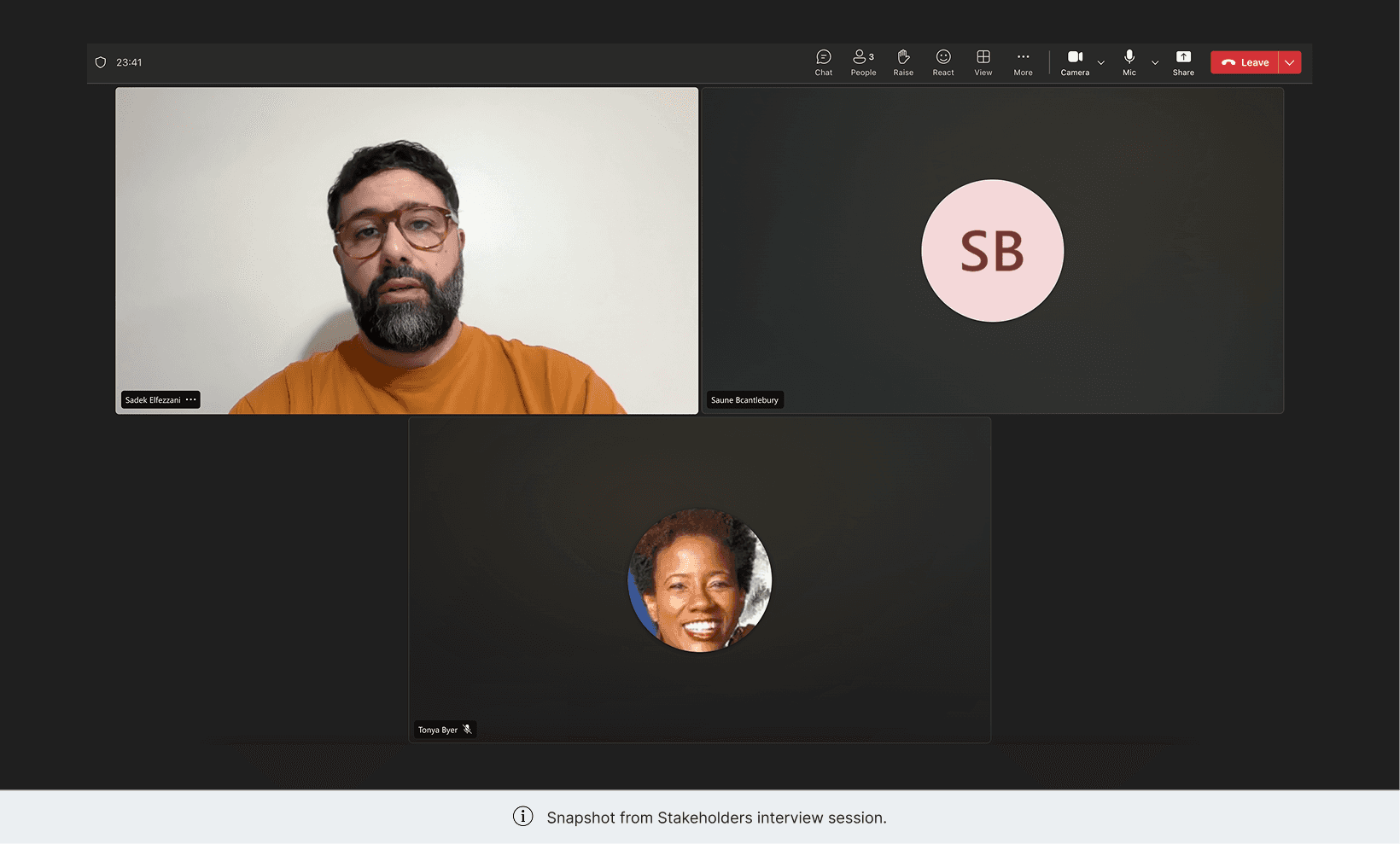
Led early discovery efforts, including stakeholder interviews and user surveys, to uncover employee pain points and intranet expectations.
Translated research findings into actionable insights that directly informed information architecture and design priorities.
Designed and prototyped key workflows, refining navigation, content structure, and task flows based on iterative feedback sessions.
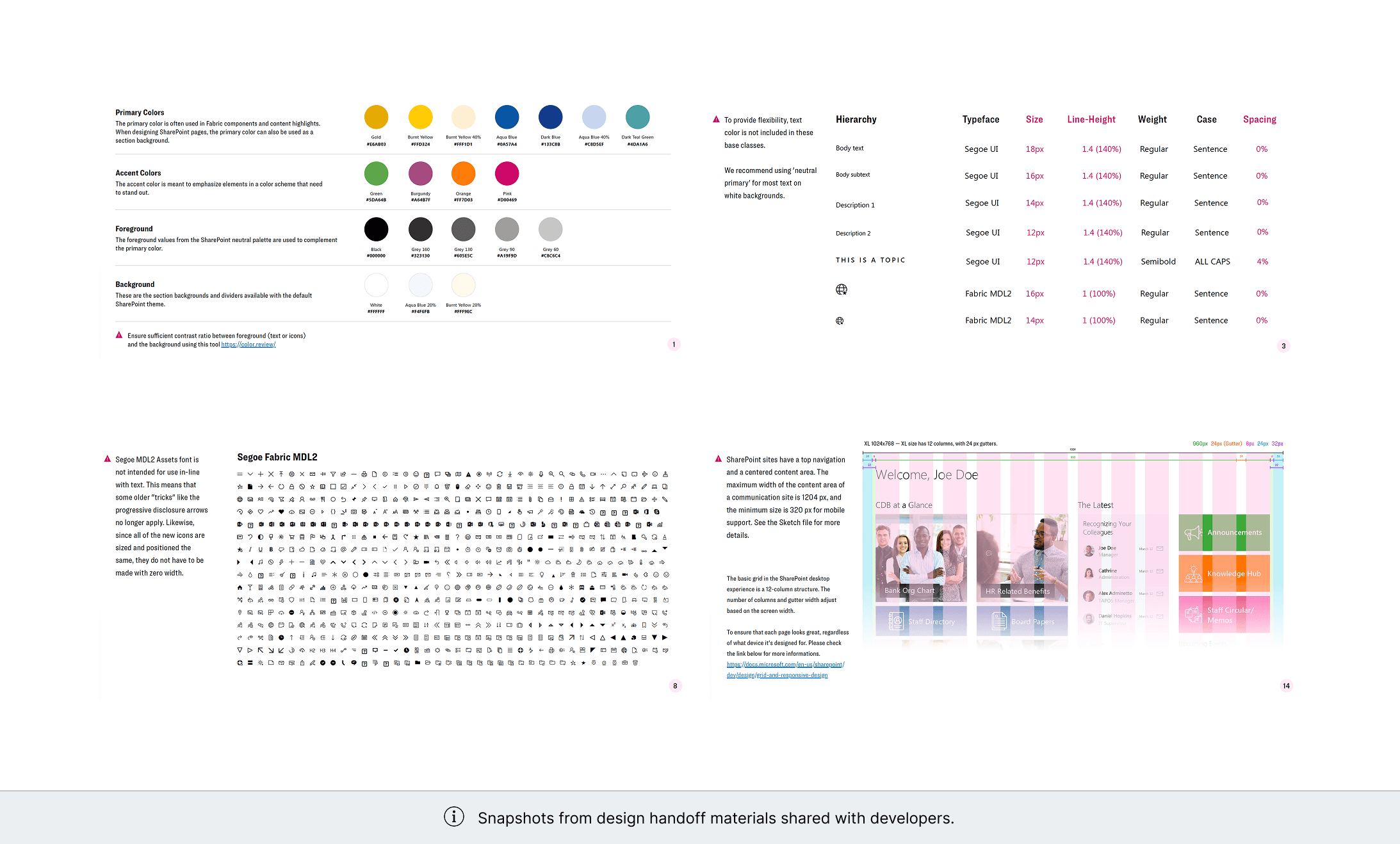
Delivered high-fidelity designs and detailed documentation, collaborating with developers to ensure smooth implementation in SharePoint.
Research & Insights
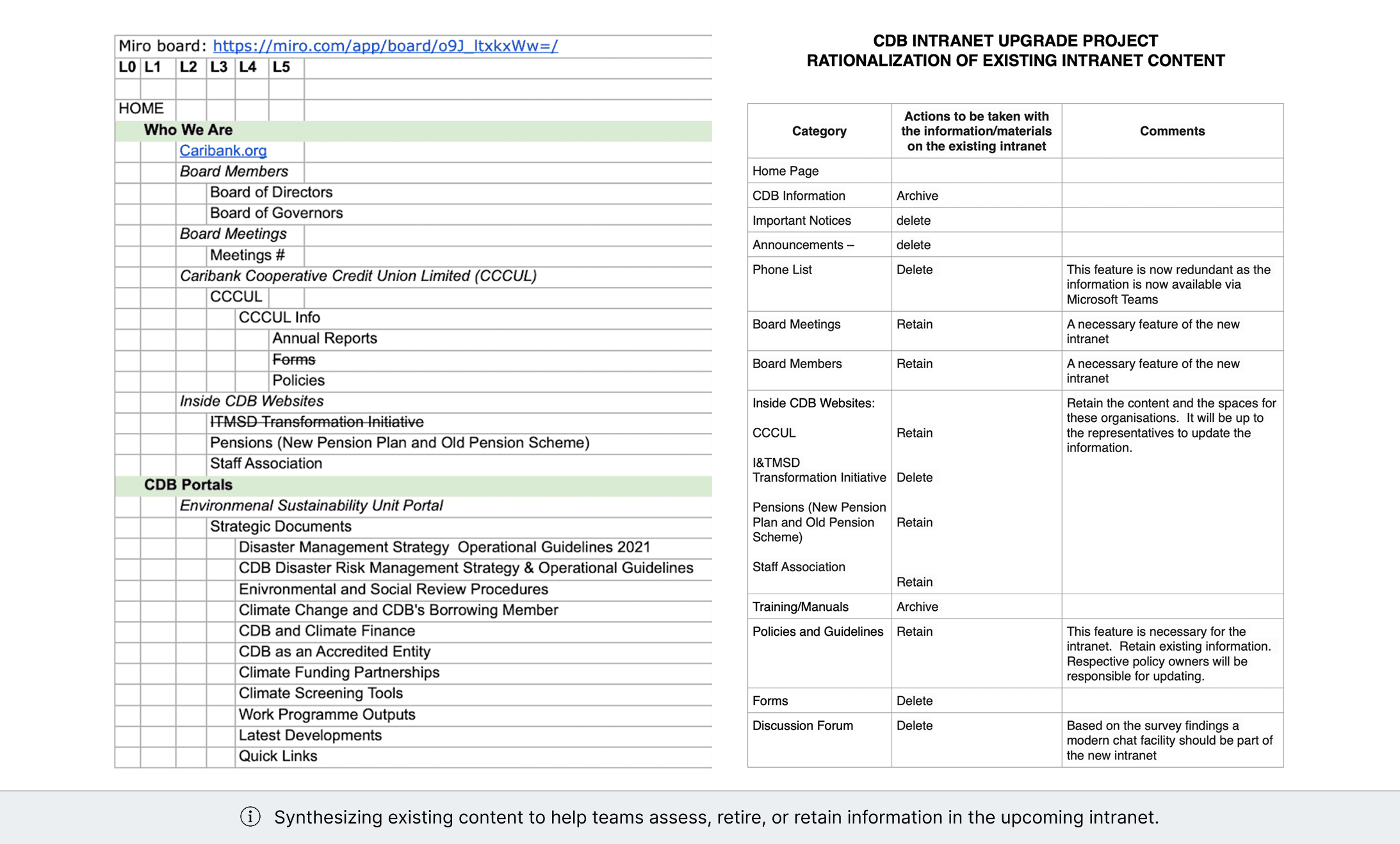
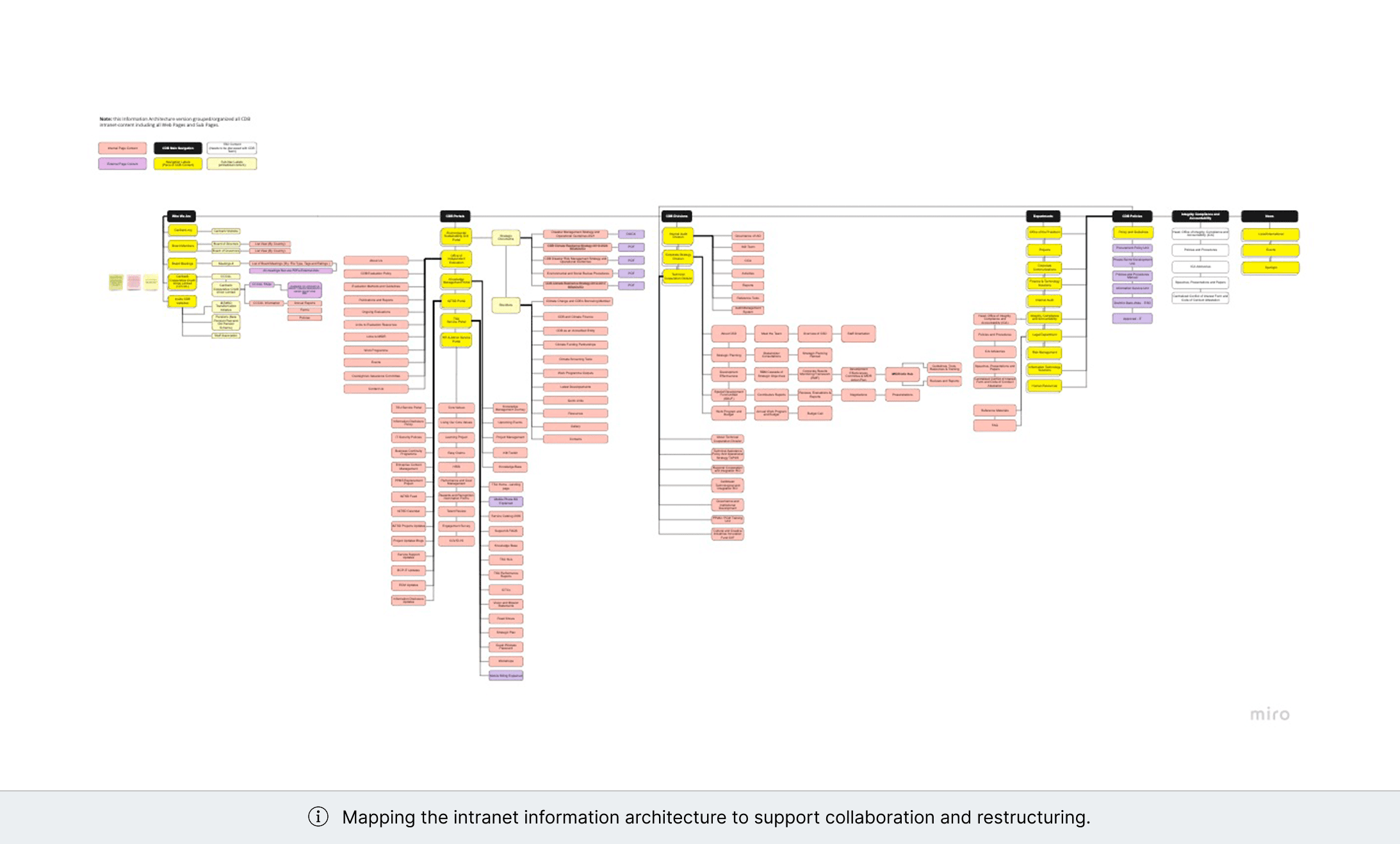
Discovery uncovered structural gaps in information access, navigation, and content governance
Conducted interviews with 12 key stakeholders to identify critical requirements and governance requirements.
Distributed a company-wide survey to 70+ employees across various departments to identify usage patterns and frictions points.
Audited SharePoint's native capabilities to align UX decisions with technical constraints.
Key findings:
Information was fragmented across policies, resources, and updates.
Document retrieval was inconsistent and time-consuming.
Navigation and structure did not reflect institutional priorities or workflows.
Team updates and milestones lacked structured visibility.
Design & Testing
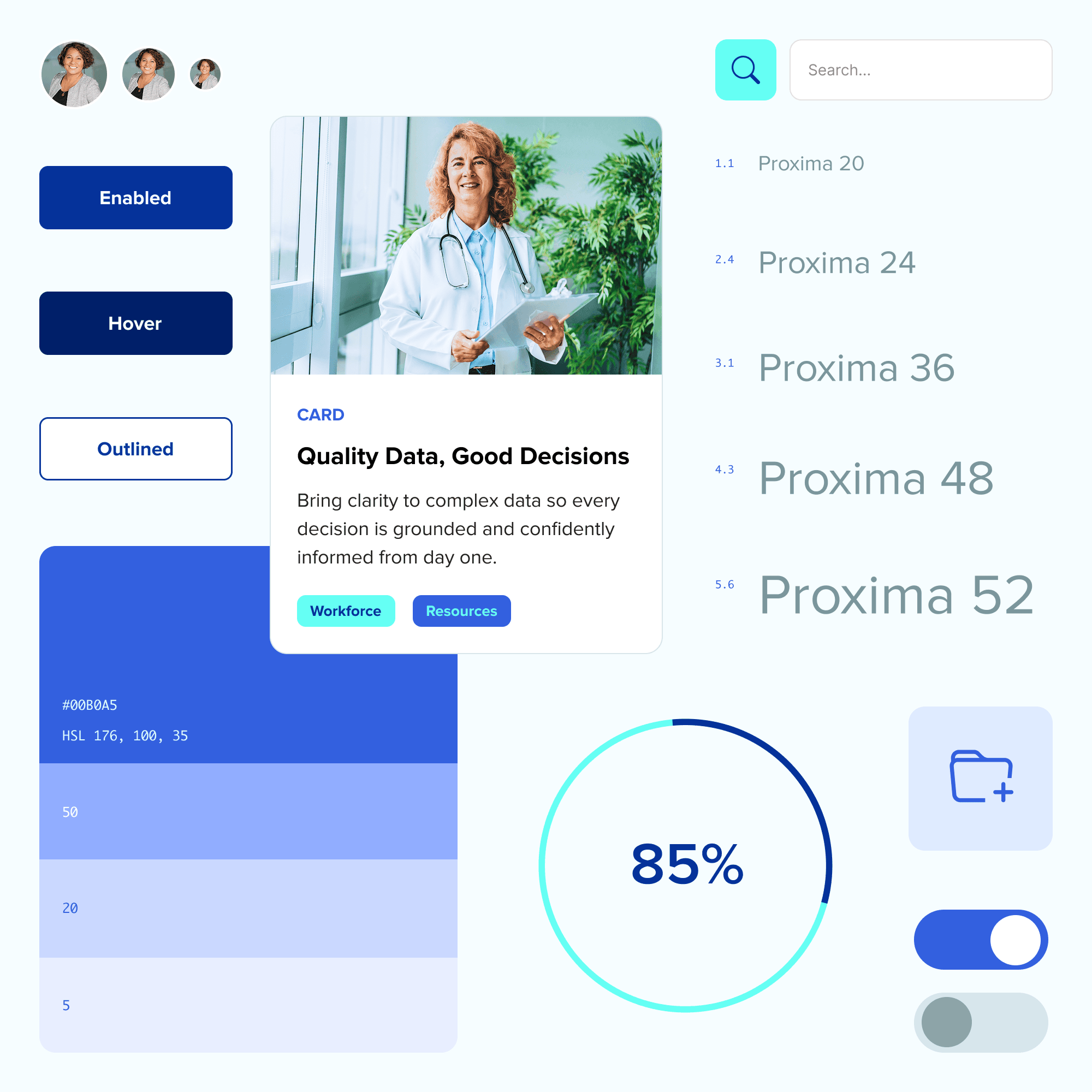
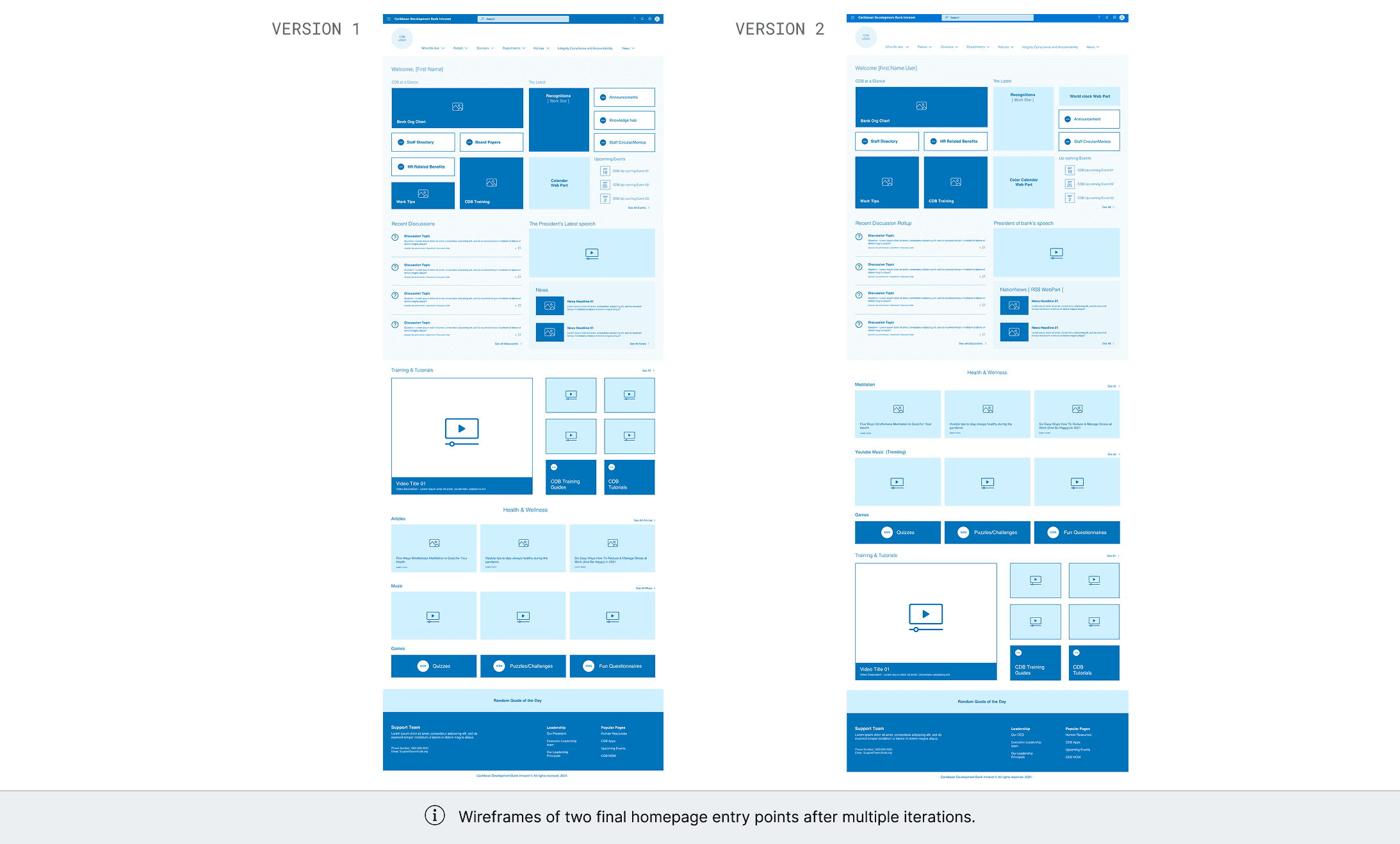
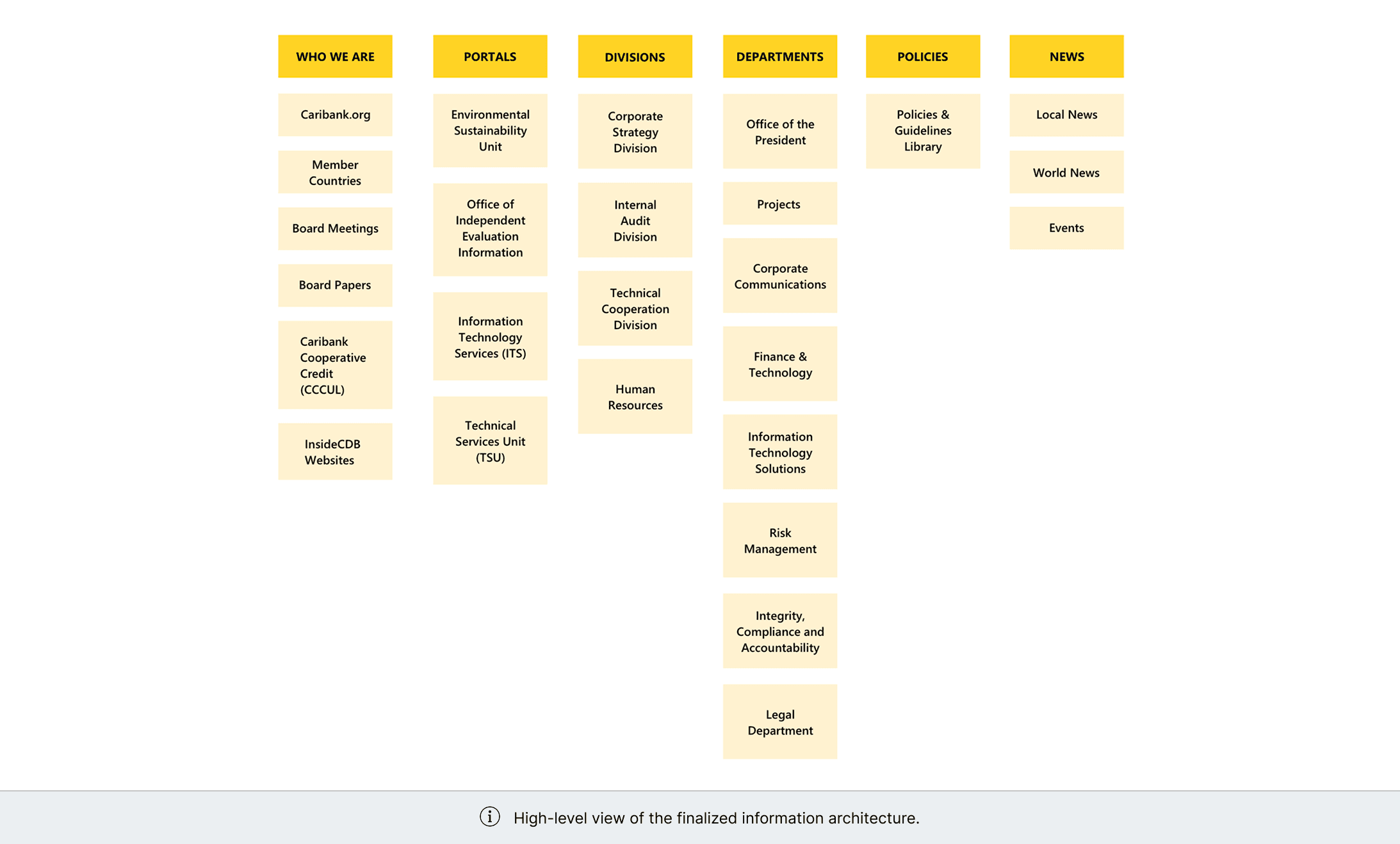
Working within Microsoft Fluent’s design system, I prototyped a revised intranet structure that balanced platform constraints with clearer information architecture.
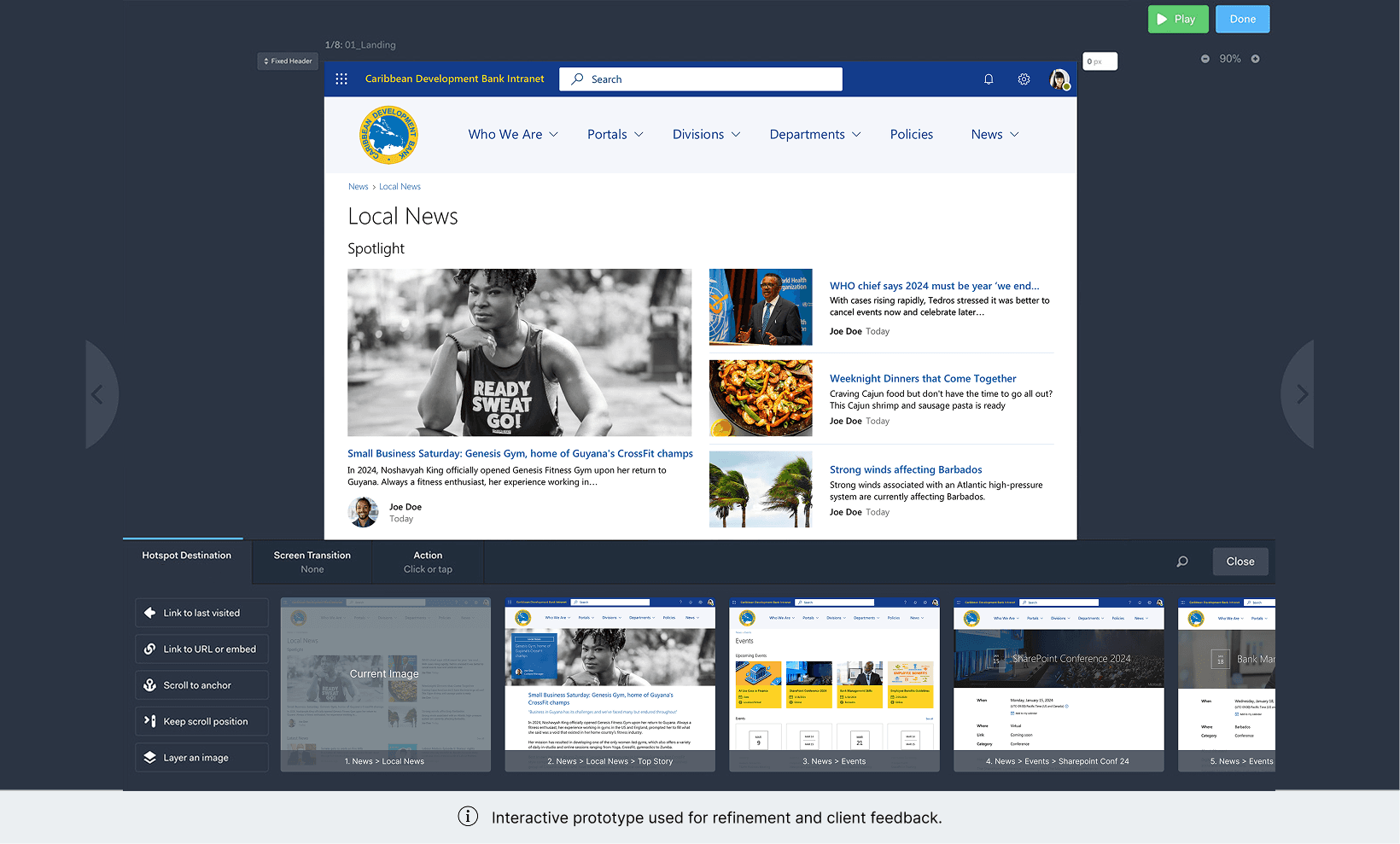
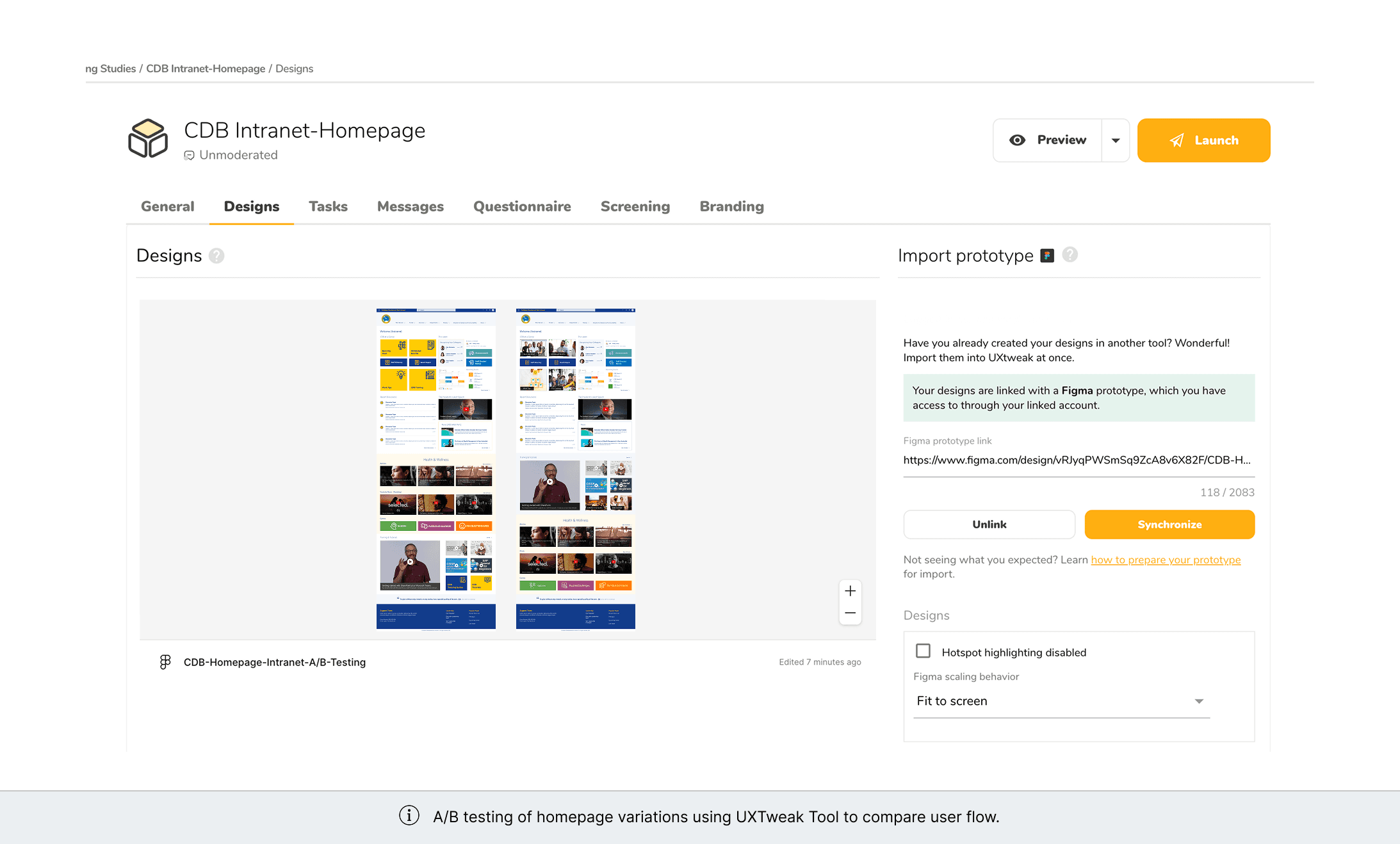
Early concepts were validated through A/B testing on the homepage, using real employee behavior to guide layout and content prioritization.
Key design improvements included:
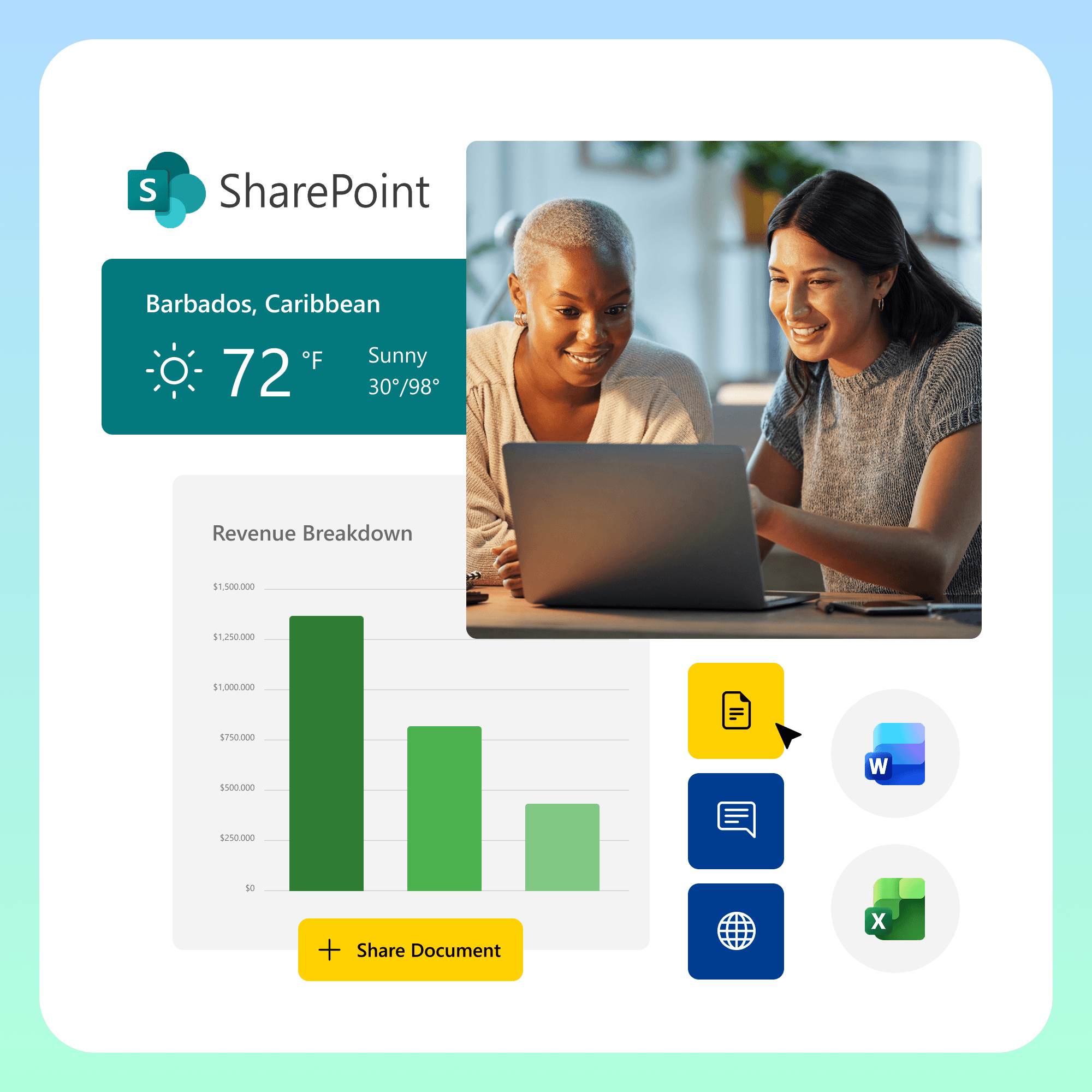
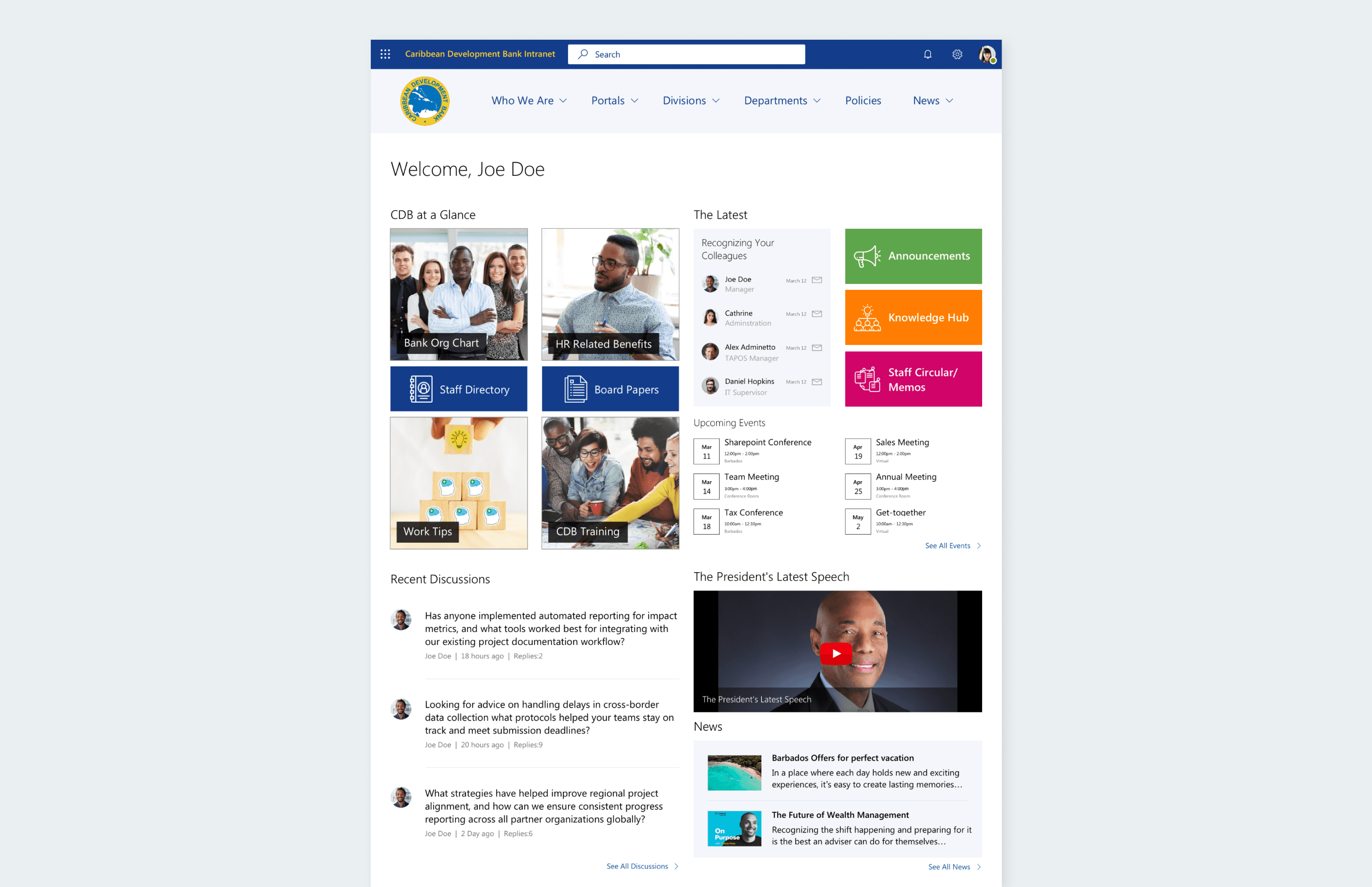
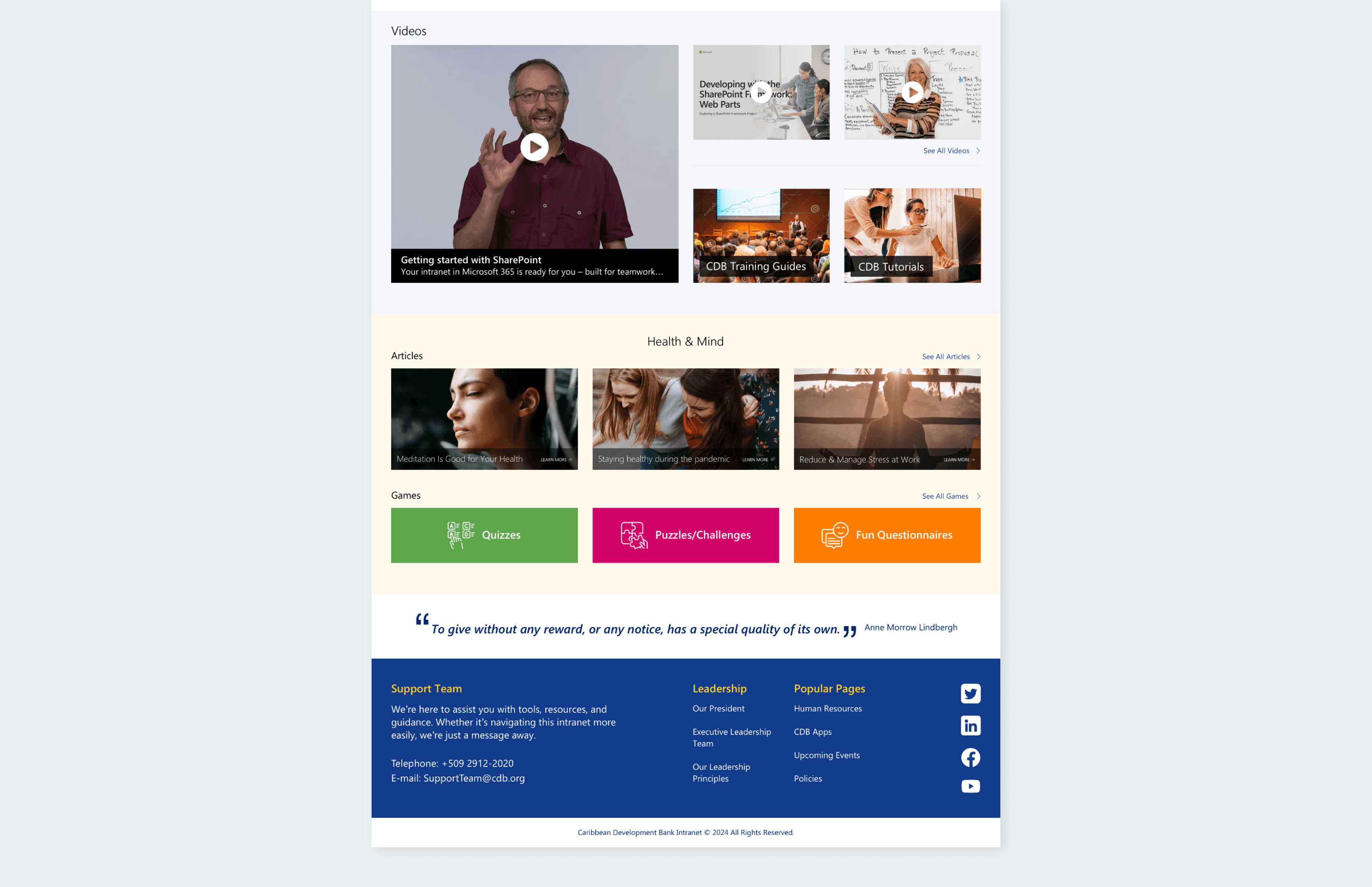
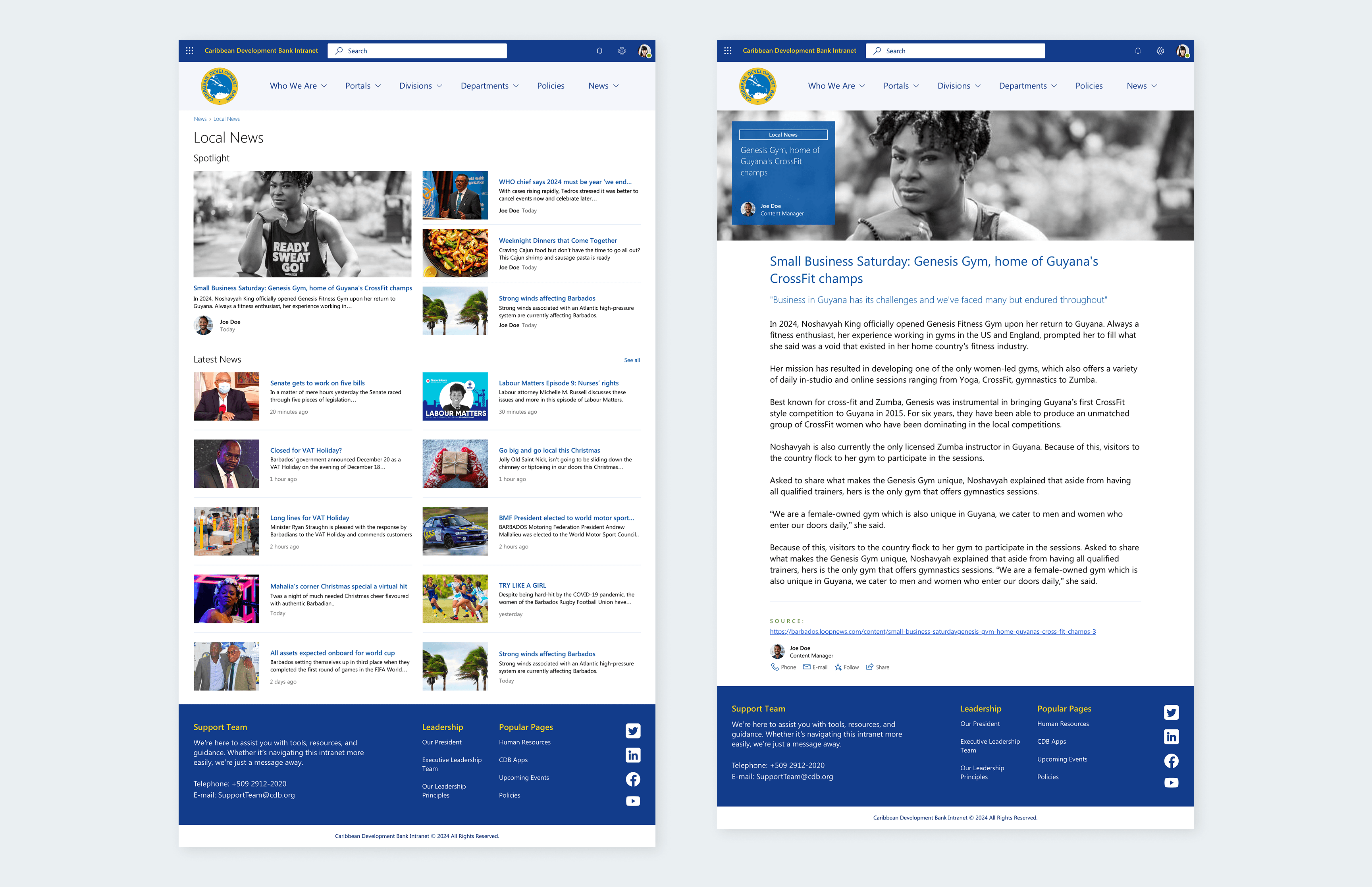
A redesigned homepage structured around primary tools, announcements, and quick access workflows.
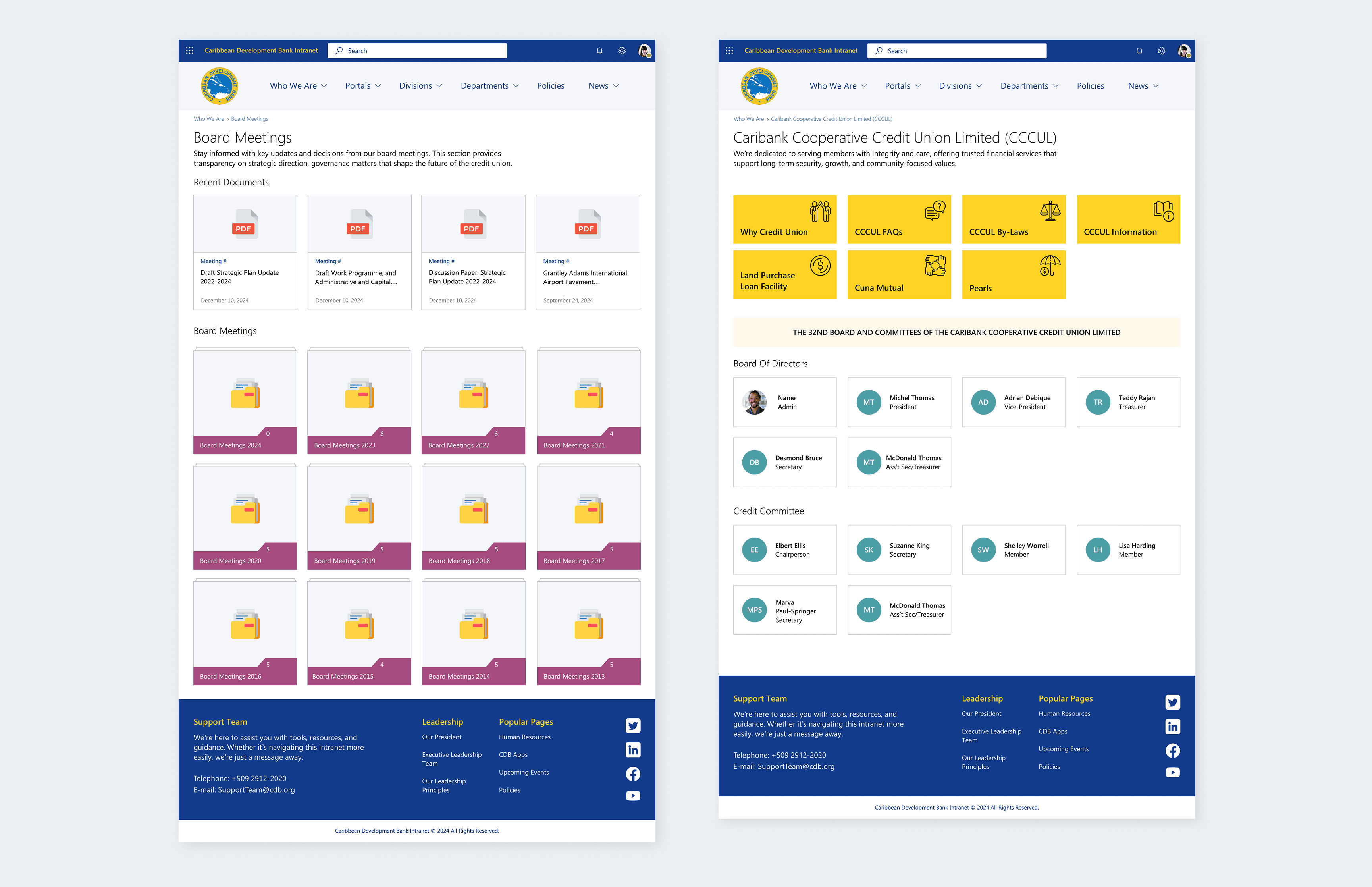
A centralized document hub replacing fragmented content silos.
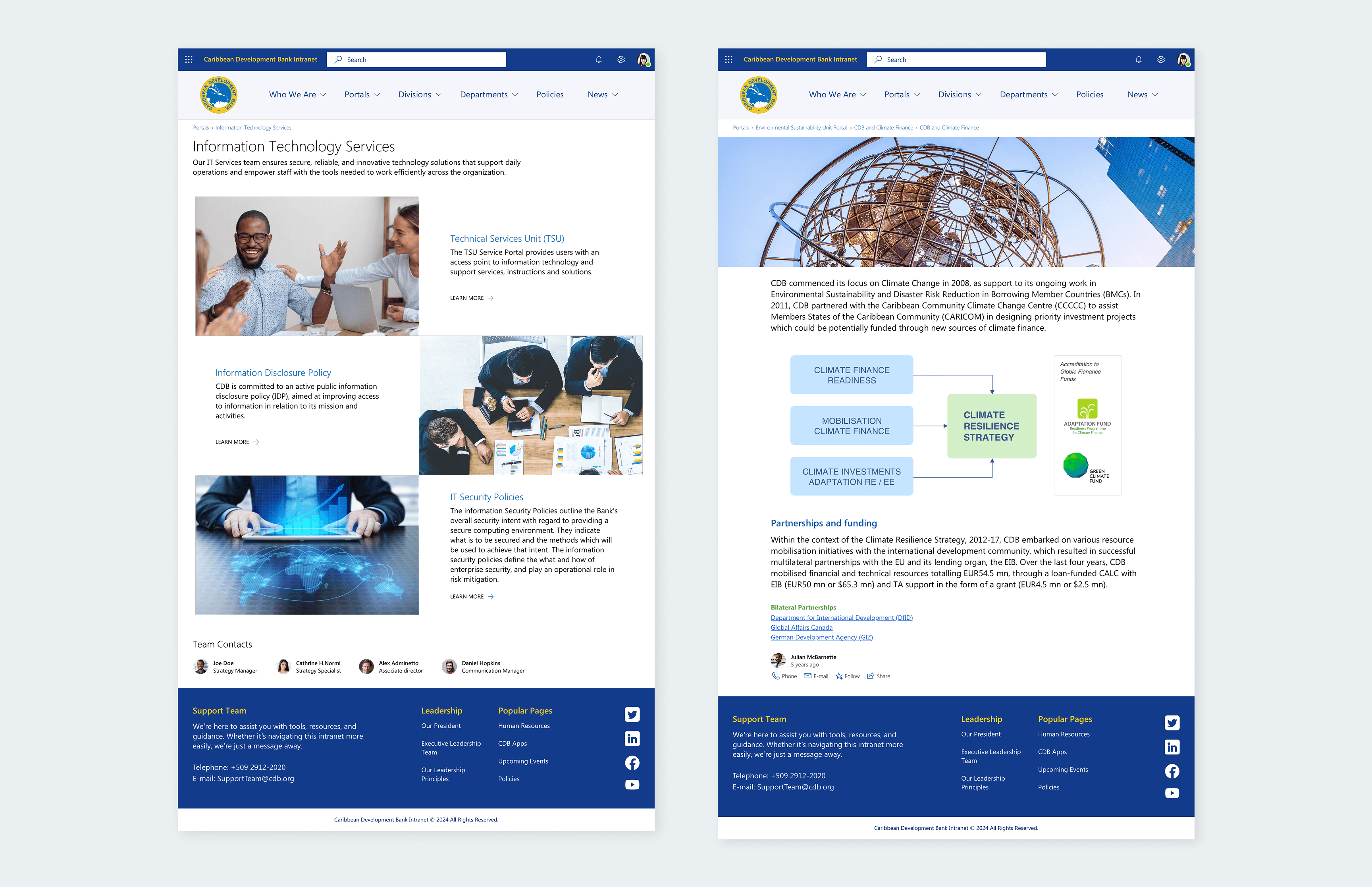
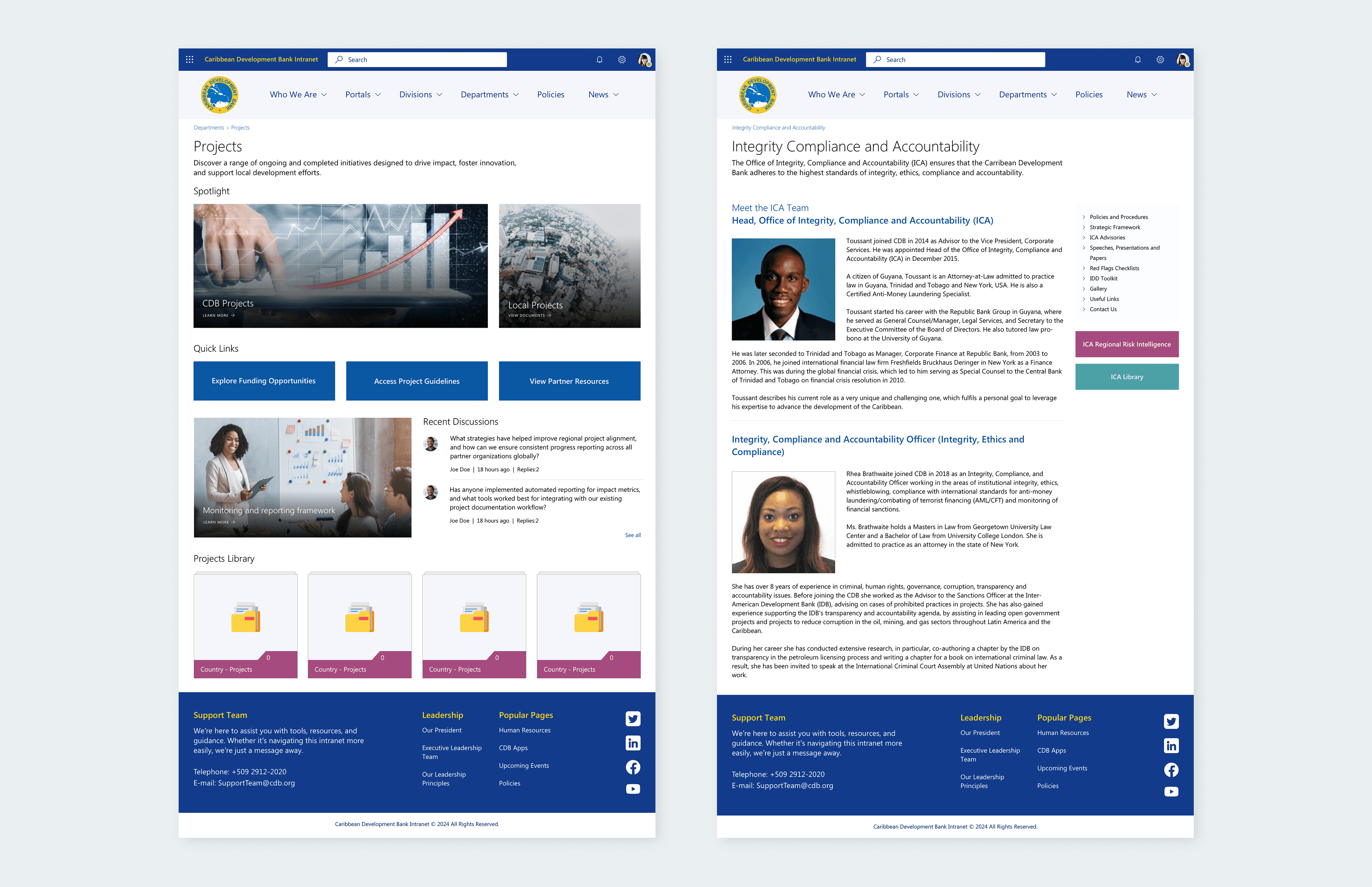
Department-specific spaces aligned to team workflows and reporting needs.
A dedicated community space to highlight milestones and institutional updates.
Final design decisions were validated through task-based usability sessions, confirming employees could locate information and complete core actions more efficiently.
Solution
The redesign repositioned the intranet as a task-oriented workspace with centralized resources, clearer navigation, and defined team spaces. It replaced scattered content and tools with an experience built around daily workflows.
Results & Impact
Within six months of launch:
30% increase in employee engagement, with sustained growth in repeat usage.
50% reduction in document-sharing turnaround time, improving cross-team collaboration.
Reduced IT support tickets as navigation and resource access became more intuitive.
Retrospective
Designing within Microsoft SharePoint meant navigating technical boundaries without adding unnecessary complexity. It required deliberate trade-offs and structural decisions that delivered impact within the platform’s limits.
Reading mode
Visual mode
CLIENT
Caribbean Development Bank, a leading regional institution driving social and economic progress in the Caribbean through sustainable growth initiatives and impactful projects.
TEAM
Account Director
Project Manager
Creative Director
Sharepoint Developers (2)
SERVICES
User Research
UX/UI Design
User Testing
Design Documentation
STACK
Miro
Figma
Marvel Prototyping
Microsoft Fluent UI
STATUS
Delivered
Challenge
For years, CDB employees relied on an outdated and fragmented intranet. Accessing policies, forms, and internal communications was slow and inconsistent, leading to disengagement and rising support tickets.
Broken search, unclear content ownership, and clunky publishing workflows revealed deeper structural issues in how information was organized and maintained.
My Role
I led the end-to-end redesign of the intranet, collaborating with key stakeholders across departments to create a system that was easier to use, manage, and better connected to how employees worked.
Without prior SharePoint experience, I quickly assessed its technical constraints and native capabilities to design within the platform rather than against it.
Highlights:
Led early discovery efforts, including stakeholder interviews and user surveys, to uncover employee pain points and intranet expectations.
Translated research findings into actionable insights that directly informed information architecture and design priorities.
Designed and prototyped key workflows, refining navigation, content structure, and task flows based on iterative feedback sessions.
Delivered high-fidelity designs and detailed documentation, collaborating with developers to ensure smooth implementation in SharePoint.
Research & Insights
Discovery uncovered structural gaps in information access, navigation, and content governance
Conducted interviews with 12 key stakeholders to identify critical requirements and governance requirements.
Distributed a company-wide survey to 70+ employees across various departments to identify usage patterns and frictions points.
Audited SharePoint's native capabilities to align UX decisions with technical constraints.
Key findings:
Information was fragmented across policies, resources, and updates.
Document retrieval was inconsistent and time-consuming.
Navigation and structure did not reflect institutional priorities or workflows.
Team updates and milestones lacked structured visibility.
Design & Testing
Working within Microsoft Fluent’s design system, I prototyped a revised intranet structure that balanced platform constraints with clearer information architecture.
Early concepts were validated through A/B testing on the homepage, using real employee behavior to guide layout and content prioritization.
Key design improvements included:
A redesigned homepage structured around primary tools, announcements, and quick access workflows.
A centralized document hub replacing fragmented content silos.
Department-specific spaces aligned to team workflows and reporting needs.
A dedicated community space to highlight milestones and institutional updates.
Final design decisions were validated through task-based usability sessions, confirming employees could locate information and complete core actions more efficiently.
Solution
The redesign repositioned the intranet as a task-oriented workspace with centralized resources, clearer navigation, and defined team spaces. It replaced scattered content and tools with an experience built around daily workflows.
Results & Impact
Within six months of launch:
30% increase in employee engagement, with sustained growth in repeat usage.
50% reduction in document-sharing turnaround time, improving cross-team collaboration.
Reduced IT support tickets as navigation and resource access became more intuitive.
Retrospective
Designing within Microsoft SharePoint meant navigating technical boundaries without adding unnecessary complexity. It required deliberate trade-offs and structural decisions that delivered impact within the platform’s limits.
Reading mode
Visual mode
CLIENT
Caribbean Development Bank, a leading regional institution driving social and economic progress in the Caribbean through sustainable growth initiatives and impactful projects.
TEAM
Account Director
Project Manager
Creative Director
Sharepoint Developers (2)
SERVICES
User Research
UX/UI Design
User Testing
Design Documentation
STACK
Miro
Figma
Marvel Prototyping
Microsoft Fluent UI
STATUS
Delivered
Challenge
For years, CDB employees relied on an outdated and fragmented intranet. Accessing policies, forms, and internal communications was slow and inconsistent, leading to disengagement and rising support tickets.
Broken search, unclear content ownership, and clunky publishing workflows revealed deeper structural issues in how information was organized and maintained.
My Role
I led the end-to-end redesign of the intranet, collaborating with key stakeholders across departments to create a system that was easier to use, manage, and better connected to how employees worked.
Without prior SharePoint experience, I quickly assessed its technical constraints and native capabilities to design within the platform rather than against it.
Highlights:
Led early discovery efforts, including stakeholder interviews and user surveys, to uncover employee pain points and intranet expectations.
Translated research findings into actionable insights that directly informed information architecture and design priorities.
Designed and prototyped key workflows, refining navigation, content structure, and task flows based on iterative feedback sessions.
Delivered high-fidelity designs and detailed documentation, collaborating with developers to ensure smooth implementation in SharePoint.
Research & Insights
Discovery uncovered structural gaps in information access, navigation, and content governance
Conducted interviews with 12 key stakeholders to identify critical requirements and governance requirements.
Distributed a company-wide survey to 70+ employees across various departments to identify usage patterns and frictions points.
Audited SharePoint's native capabilities to align UX decisions with technical constraints.
Key findings:
Information was fragmented across policies, resources, and updates.
Document retrieval was inconsistent and time-consuming.
Navigation and structure did not reflect institutional priorities or workflows.
Team updates and milestones lacked structured visibility.
Design & Testing
Working within Microsoft Fluent’s design system, I prototyped a revised intranet structure that balanced platform constraints with clearer information architecture.
Early concepts were validated through A/B testing on the homepage, using real employee behavior to guide layout and content prioritization.
Key design improvements included:
A redesigned homepage structured around primary tools, announcements, and quick access workflows.
A centralized document hub replacing fragmented content silos.
Department-specific spaces aligned to team workflows and reporting needs.
A dedicated community space to highlight milestones and institutional updates.
Final design decisions were validated through task-based usability sessions, confirming employees could locate information and complete core actions more efficiently.
Solution
The redesign repositioned the intranet as a task-oriented workspace with centralized resources, clearer navigation, and defined team spaces. It replaced scattered content and tools with an experience built around daily workflows.
Results & Impact
Within six months of launch:
30% increase in employee engagement, with sustained growth in repeat usage.
50% reduction in document-sharing turnaround time, improving cross-team collaboration.
Reduced IT support tickets as navigation and resource access became more intuitive.
Retrospective
Designing within Microsoft SharePoint meant navigating technical boundaries without adding unnecessary complexity. It required deliberate trade-offs and structural decisions that delivered impact within the platform’s limits.